Container
Container is a component used as a general division element. By default, it renders the section element.
"Dragon Ball" (DRAGON BALL)
"Dragon Ball" (DRAGON BALL) is a Japanese manga work by Akira Toriyama. It was serialized in "Weekly Shonen Jump" (Shueisha) from the 51st issue of 1984 to the 25th issue of 1995. It is a long manga that depicts "adventure", "dream", "battle", "friendship", etc., centered on the protagonist, Son Goku, and the treasure, Dragon Ball, which can grant any wish if all seven scattered balls are collected.
<Container.Root>
  <Container.Header>
    <Heading size="xl"> "Dragon Ball" (DRAGON BALL) </Heading>
  </Container.Header>

  <Container.Body color="fg.muted">
    <Text>
      "Dragon Ball" (DRAGON BALL) is a Japanese manga work by Akira Toriyama. It
      was serialized in "Weekly Shonen Jump" (Shueisha) from the 51st issue of
      1984 to the 25th issue of 1995. It is a long manga that depicts
      "adventure", "dream", "battle", "friendship", etc., centered on the
      protagonist, Son Goku, and the treasure, Dragon Ball, which can grant any
      wish if all seven scattered balls are collected.
    </Text>
  </Container.Body>
</Container.Root>
Usage
import { Container } from "@yamada-ui/react"
import { Container } from "@/components/ui"
import { Container } from "@workspaces/ui"
<Container.Root>
  <Container.Header />
  <Container.Body />
  <Container.Footer />
</Container.Root>
Change Variant
Container
Variant is panel
Container
Variant is elevated
Container
Variant is subtle
Container
Variant is solid
Container
Variant is surface
Container
Variant is outline
<VStack>
  <For each={["panel", "elevated", "subtle", "solid", "surface", "outline"]}>
    {(variant, index) => (
      <Container.Root variant={variant} key={index}>
        <Container.Header>
          <Heading size="md">Container</Heading>
        </Container.Header>

        <Container.Body>
          <Text>Variant is {variant}</Text>
        </Container.Body>
      </Container.Root>
    )}
  </For>
</VStack>
Change Size
Container
Size is sm
Container
Size is md
Container
Size is lg
Container
Size is xl
<VStack>
  <For each={["sm", "md", "lg", "xl"]}>
    {(size, index) => (
      <Container.Root size={size} key={index}>
        <Container.Header>
          <Heading size={transformSize(size, 2)}>Container</Heading>
        </Container.Header>

        <Container.Body color="fg.muted">
          <Text>Size is {size}</Text>
        </Container.Body>
      </Container.Root>
    )}
  </For>
</VStack>
Change Color Scheme
Container
ColorScheme is info
Container
ColorScheme is success
Container
ColorScheme is warning
Container
ColorScheme is error
<VStack>
  <For each={["info", "success", "warning", "error"]}>
    {(colorScheme, index) => (
      <Container.Root colorScheme={colorScheme} variant="solid" key={index}>
        <Container.Header>
          <Heading size="md">Container</Heading>
        </Container.Header>

        <Container.Body>
          <Text>ColorScheme is {colorScheme}</Text>
        </Container.Body>
      </Container.Root>
    )}
  </For>
</VStack>
Centering Child Elements
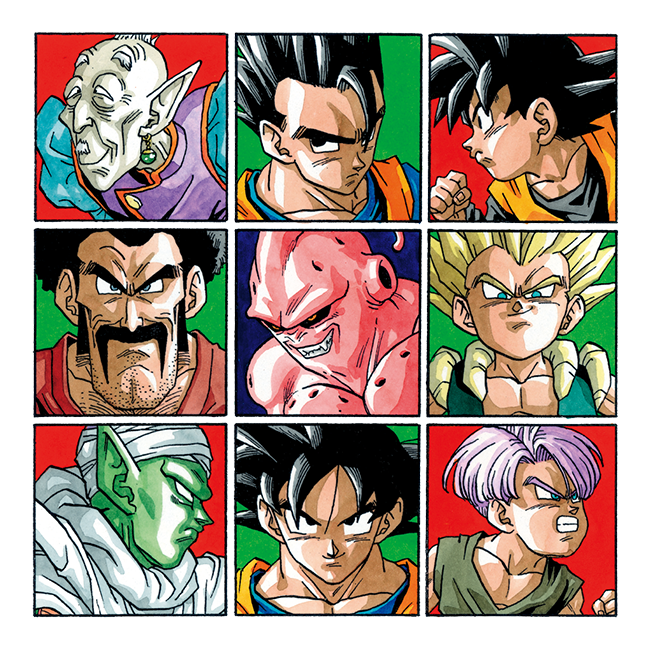
"Dragon Ball" (DRAGON BALL)
"Dragon Ball" (DRAGON BALL) is a Japanese manga work by Akira Toriyama. It was serialized in "Weekly Shonen Jump" (Shueisha) from the 51st issue of 1984 to the 25th issue of 1995. It is a long manga that depicts "adventure", "dream", "battle", "friendship", etc., centered on the protagonist Goku (Son Goku), and the treasure "Dragon Ball" that can grant any wish if all seven balls scattered around the world are collected.
<Container.Root centerContent>
  <Container.Header flexDirection="column">
    <Image
      src="https://dragon-ball-official.com/assets/img/intro/intro_2.png"
      alt="Dragon Ball"
      maxW="sm"
    />

    <Heading size="xl"> "Dragon Ball" (DRAGON BALL) </Heading>
  </Container.Header>

  <Container.Body color="fg.muted">
    <Text>
      "Dragon Ball" (DRAGON BALL) is a Japanese manga work by Akira Toriyama. It
      was serialized in "Weekly Shonen Jump" (Shueisha) from the 51st issue of
      1984 to the 25th issue of 1995. It is a long manga that depicts
      "adventure", "dream", "battle", "friendship", etc., centered on the
      protagonist Goku (Son Goku), and the treasure "Dragon Ball" that can grant
      any wish if all seven balls scattered around the world are collected.
    </Text>
  </Container.Body>
</Container.Root>
Props
Similar Components
Bleed
Bleed is a component used to extend elements beyond the boundaries of a container.
Box
Box is the most abstract component on which all other components are built. By default, it renders a div element.
Center
Center is a component that aligns the child elements in the center within the component.
Flex
Flex is a component that sets flex to Box. Also, convenient style shorthand is available.
Float
Float is a component used to fix elements to the edges of a container.
Grid
Grid is a component for managing grid layouts. It also comes with handy style shorthand.
Group
Group is a component that groups and attaches multiple elements together.
HStack
HStack is used to stack child elements horizontally.